Introduction
Ever heard someone say “we’re moving to the cloud” and wondered what that actually means compared to keeping things “on the ground”? You’re not alone.
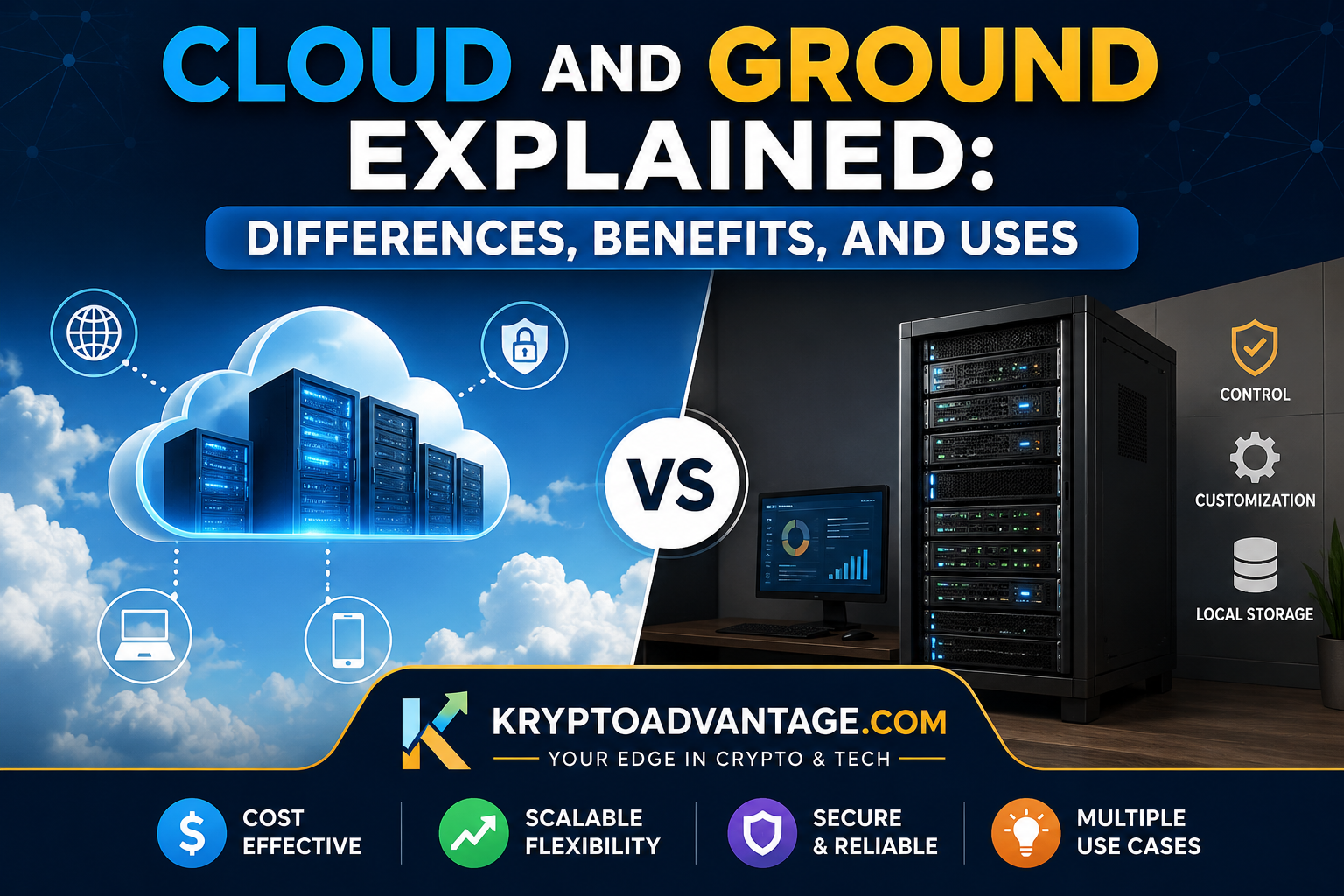
The terms cloud and ground come up a lot in tech conversations, but many people still mix them up. In simple words, “ground” usually means something physical — a server, a device, or infrastructure sitting right in front of you.Cloud means the same task is performed online using remote servers managed by a third-party provider instead of your own local hardware.
This article breaks down cloud and ground meaning cloud vs ground in plain English. We’ll cover the real differences, the pros and cons of each, and where each one makes sense in daily life and business.
What Does “Cloud and Ground” Actually Mean?
Before comparing them, let’s define both terms clearly. This helps avoid confusion later in the article.
What Is “Ground” (On-Premises)?
Ground refers to physical hardware and equipment that is installed and operated in a fixed location, rather than being accessed over the internet. Think of a computer sitting in your office, a hard drive on your desk, or a server room in your company’s basement.
You own it. You maintain it. You are responsible for fixing it when it breaks.
What Is “Cloud”?
“Cloud” means data, software, or computing power that lives on remote servers, owned and managed by someone else — usually a company like Amazon, Google, or Microsoft. You access it through the internet instead of touching any physical hardware yourself.
For example, when you save a photo to Google Photos instead of your phone’s storage, that photo is now “in the cloud.”
Cloud vs Ground: Key Differences
This is the heart of the topic. Let’s compare cloud and ground side by side across the areas that matter most.
1. Location and Access
Ground-based systems are tied to one physical place. If your server is in your office, you (or someone on-site) needs to be there to manage it directly.
Cloud systems, on the other hand, can be accessed from almost anywhere. All you need is an internet connection and a login.
2. Cost Structure
On-premises (ground) setups usually need a large upfront investment. You buy the hardware, install it, and pay for ongoing power and maintenance.
Cloud computing works differently. Most cloud services use a pay-as-you-go model. You pay monthly or based on how much you use, similar to a utility bill.
3. Maintenance and Responsibility
With ground systems, your team handles everything — updates, repairs, and security patches. This gives you greater control, but it also requires more time, effort, and maintenance.
With cloud systems, the provider handles most of the maintenance. This is one reason so many businesses have shifted toward cloud computing vs on-premises setups in recent years.
4. Scalability
Scaling a ground-based system typically requires purchasing and installing additional physical hardware.That takes time, money, and space.
Cloud systems can scale up or down in minutes. If your website suddenly gets more visitors, cloud resources can expand almost instantly to handle the load.
5. Security and Control
Ground systems give you complete control over your data. Some industries, like banking or government, sometimes prefer this because of strict compliance rules.
Cloud providers also offer strong security, often stronger than what a small business could build on its own. However, you are trusting a third party with your data, which some organizations are still cautious about.
Benefits of Cloud Systems
Cloud computing has grown fast because it solves real problems. Here are the main advantages.
Lower Upfront Costs
You don’t need to buy expensive servers. You simply subscribe to a service and start using it right away.
Easy Remote Access
Teams working from different cities or countries can access the same files and tools without needing to be in one office.
Automatic Updates
Cloud providers usually handle software updates and security patches for you. This reduces the workload on your internal team.
Built-In Backup and Recovery
Most cloud services automatically back up your data, helping protect it from loss or hardware failures. If your laptop breaks, your files are usually still safe in the cloud.
Benefits of Ground (On-Premises) Systems
Ground-based systems still have a place, especially in specific industries and situations.
Full Control Over Data
Since everything is stored locally, you decide exactly who can access it and how it’s protected.
No Dependence on Internet Connection
If your internet goes down, ground systems can often still function, since they don’t rely on a live connection to run.
Better for Strict Compliance Needs
Some industries, like healthcare or defense, have rules that require data to stay within specific physical locations. Ground systems make this easier to guarantee.
One-Time Investment Model
While the upfront cost is higher, some businesses prefer owning their hardware outright instead of paying ongoing subscription fees.
Real-World Use Cases
Understanding cloud and ground in theory is helpful, but real examples make it click.
When Cloud Makes Sense
- A small startup that wants to launch fast without spending money on servers
- A remote team spread across different countries needing shared access to files
- An app that expects unpredictable traffic spikes, like an online store during a sale
When Ground Makes Sense
- A hospital that must keep patient records within its own secured network
- A factory using local servers to control machinery in real time, where any internet delay could cause problems
- A government office handling classified information under strict regulations
The Hybrid Approach
Many companies today don’t choose just one. They use a mix of both, known as a “hybrid” setup. Sensitive data might stay on the ground, while less critical tasks run in the cloud.
This approach is becoming more common because it offers a balance between control and flexibility.
Cloud Computing vs On-Premises: Which Should You Choose?
There’s no single right answer here. The right choice depends on your specific needs, goals, and requirements.
Ask yourself these questions:
- How much control do you need over your data?
- Do you have a budget for upfront hardware costs, or would monthly payments work better?
- Does your industry have strict data location rules?
- How fast do you expect your needs to grow?
If you value flexibility and lower starting costs, cloud computing is often the easier path. If you need tight control and already have the budget for infrastructure, ground-based systems may fit better.
FAQ Section
What is the simple meaning of cloud and ground?
“Ground” means physical, local systems you own and manage directly. “Cloud” means remote systems managed by a provider and accessed through the internet.
Is cloud computing safer than on-premises systems?
Not always. Cloud providers often have strong security teams, but on-premises systems give you more direct control. Safety depends on how well each system is managed.
Can a business use both cloud and ground systems together?
Yes, this is called a hybrid setup. Many businesses keep sensitive data on the ground while using the cloud for everyday tasks and storage.
Is cloud computing cheaper than on-premises?
It’s usually cheaper to start with, since there’s no big upfront hardware cost. However, over several years, ongoing subscription fees can sometimes add up to a similar or higher total cost, depending on usage.
Do small businesses need the cloud?
Not always, but many find it useful because it reduces the need for expensive equipment and in-house IT staff. It depends on the type of business and its specific needs.
Conclusion
Understanding cloud and ground doesn’t have to be complicated. Ground systems are physical, local, and fully controlled by you. Cloud systems are remote, flexible, and managed by a provider.
Neither option is automatically better. It comes down to your budget, your need for control, and how your business or personal use case is structured.
If you’re still deciding between cloud computing vs on-premises, start small. Try a cloud tool for a low-risk task and see how it fits your workflow before making a bigger decision.