
What Is Wallos? Features, Benefits & Complete Guide
Do you ever look at your bank statement and wonder, “Wait, what is this charge?” You’re not alone. Streaming services, apps, and software subscriptions pile up fast, and most people lose track of them.
That’s exactly the problem Wallos was built to solve. Wallos is a free, open-source tool that helps you see every subscription you’re paying for in one place.
In this guide, we’ll cover what Wallos is, how it works, its main features, and whether it’s the right fit for you. By the end, you’ll know exactly how to get started.
What Is Wallos?
Wallos is an open-source, self-hostable personal subscription tracker built to help you understand and control recurring expenses without relying on spreadsheets or paid budgeting platforms. In simple words, it’s a tool that keeps a list of every subscription you pay for and reminds you before the money leaves your account. SourceForge
Unlike apps like Rocket Money or Truebill, Wallos doesn’t live on someone else’s server. You install it yourself. This means your financial data stays with you, not a third-party company.
Who Built Wallos?
Wallos is hosted on GitHub under the developer name ellite, and it gives you complete ownership of your subscription and expense data without relying on any cloud service. It’s a community project, so anyone can inspect the code, suggest changes, or report bugs. You can view the source code directly on the official Wallos GitHub repository. Open Apps Pro
Why “Self-Hosted” Matters
Self-hosted just means you run the software on your own computer or server, instead of using an app hosted by a big company. Think of it like the difference between renting a storage unit from a company versus keeping your stuff in your own garage. You control access either way, but with your own garage, nobody else has a key.
Note: Wallos is actively developed open-source software. Features, system requirements, and installation steps can change with new updates. Always check the official GitHub repository for the latest details before installing.
Wallos Features: What Can It Actually Do?
The Wallos platform packs in a good number of features for a free tool. Here are the main ones.
Subscription and Payment Tracking
At its core, Wallos lets you add every subscription you have, along with the price, billing cycle, and due date. This keeps track of your recurring subscriptions and payments, ensuring you never miss a due date.
Category Management
You can sort your subscriptions into categories like entertainment, software, or utilities. This helps you organize your expenses into customizable categories, enabling you to gain insights into your spending habits.
Multi-Currency Support
If you have subscriptions billed in different currencies, Wallos handles that too. It integrates with the Fixer API so you can get exchange rates and see all your subscriptions on your main currency. This is handy if you travel a lot or use international services. GitHub
Notifications and Reminders
Nobody wants a surprise charge. Wallos supports multiple notification methods including email, Discord, Pushover, Telegram, Gotify, and webhooks, so you get notified about your upcoming payments. GitHub
Logo Search and Mobile View
Wallos can automatically search the web for the logo of your subscriptions if you don’t have them available for upload, which makes your dashboard look clean and easy to scan. There’s also a mobile-friendly view, so you can check things on your phone. GitHub
Statistics and Insights
The dashboard includes a statistics section that gives another perspective into your spendings, so you can see patterns over time instead of just a flat list. GitHub
AI-Powered Recommendations (Optional, Newer Feature)
Some newer versions of Wallos include an optional AI feature that can help surface cost-saving opportunities using AI models you already control, such as ChatGPT, Gemini, OpenRouter, or a local Ollama instance. This feature is not required to use Wallos — it’s an add-on for users who want extra help spotting savings, and you can skip it entirely if you prefer. Open Apps Pro
Wallos Dashboard: What Does It Look Like?
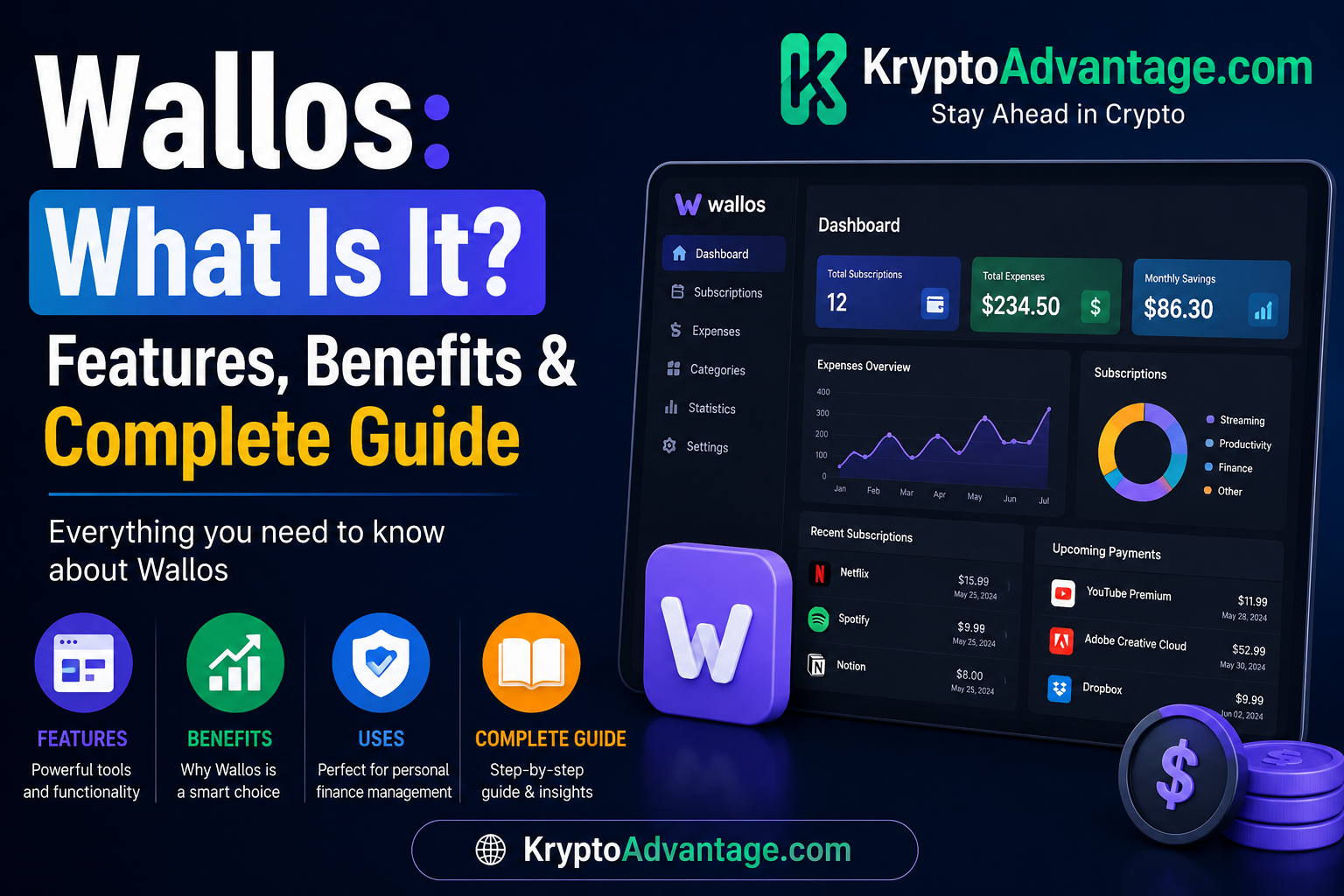
The Wallos dashboard is the main screen you see after logging in. It shows your active subscriptions, upcoming payments, and total monthly or yearly spend at a glance.
Think of it like a control panel for your money leaks. Instead of digging through several different email inboxes to find out what you’re paying for, everything sits in one tidy view.
You can also customize the dashboard with different themes and display options, so it fits your taste and workflow. If you want to see it in action before installing, Wallos offers a live demo on its official website.
Wallos Installation: How to Set It Up
Setting up the Wallos software does take a bit more effort than downloading a regular app. But it’s manageable, even if you’re not a tech expert.
What You Need Before You Start
Wallos runs as a PHP-based web application using SQLite for persistence, deployable via Docker or bare metal with NGINX or Apache. The easiest path for most people is Docker, since it bundles PHP, Nginx, and SQLite into a single container, with no external database or additional services required. DevOpen Apps Pro
Step-by-Step Overview
- Install Docker on your computer or server. Docker Desktop works fine on Windows, Mac, or Linux.
- Pull the Wallos image, or clone the project directly from the official GitHub page if you prefer a bare-metal setup.
- Run the container, which starts the web app on a local port.
- Open Wallos in your browser using your server’s address and the port you set.
- Set up cronjobs, since Wallos relies on them for payment reminders, exchange rate updates, and notifications, and missing cronjob setup breaks these features. Dev
One tech writer noted they were able to set up and use Docker Desktop with WSL on Windows 11 to create a container that hosts the Wallos app without needing a dedicated server. So a spare laptop or a small home server is enough to get started. XDA Developers
A Word of Caution
Self-hosting does come with a learning curve. As one review put it, the biggest drawback is that setting it up as a self-hosted app can be a bit daunting for those who aren’t acquainted with the practice. If you’ve never used Docker before, expect to spend an hour or two the first time. Since setup steps can change between versions, it’s worth double-checking the latest installation instructions before you begin. XDA Developers
Wallos Review: Is It Worth Using?
So, does Wallos live up to the hype? Let’s break down the honest advantages and disadvantages.
Advantages
- It’s free. Unlike many subscription trackers that take a cut of your savings or charge a monthly fee, Wallos costs nothing to run.
- Your data stays private. Since it’s self-hosted, your spending habits aren’t sitting on a company’s cloud server waiting to be sold or leaked.
- It’s genuinely useful. One user shared that using Wallos helped them list out every subscription they were currently subscribed to, and in the process discovered a few they needed to cancel. XDA Developers
- Active development. The project has a contributor base of around 65 developers and an active issue tracker, so bugs get fixed and features keep getting added. Open Apps Pro
Disadvantages
- Setup takes effort. This isn’t a one-click app store download.
- You’re responsible for updates and backups. Since you host it, you manage the maintenance.
- Not as polished for total beginners. People who aren’t comfortable with basic tech tools may find the initial setup a bit much.
- Security is your job too. Since the app lives on your own server, keeping it updated and secured is on you, not a company’s IT team.
How It Compares to Paid Alternatives
Apps like RocketMoney do similar things, but they usually require a subscription or take a percentage of what they save you. Wallos flips that model. As one writer noted, unlike comparable services like RocketMoney, Wallos is free. The trade-off is that you handle the setup yourself instead of someone doing it for you. XDA Developers
Wallos Expense Tracking: Beyond Just Subscriptions
While Wallos is built mainly for subscriptions, its expense tracking features go a bit further. You can log recurring bills like utilities, not just streaming apps or software tools.
Some setups even support tracking subscriptions across multiple household or family members, giving you a shared view of combined recurring costs. This makes it useful for couples or families who split subscription costs and want one clear picture instead of separate mental notes.
FAQ Section
What is Wallos used for?
Wallos is used to track recurring subscriptions and bills, so you always know what you’re paying for and when it’s due. It also helps you spot subscriptions you forgot about or no longer need.
Is Wallos really free?
Yes, Wallos is open-source and free to use. You do need your own server or computer to host it, but the software itself has no purchase price or subscription fee.
Do I need coding skills to use Wallos?
Not really, but basic comfort with tools like Docker helps a lot during installation. Once it’s set up, using the dashboard itself doesn’t require any coding knowledge.
Is my data safe with Wallos?
Since Wallos is self-hosted, your data stays on your own server rather than a third-party company’s cloud. That said, you’re also responsible for securing your server properly, so keep your software updated.
Can Wallos track subscriptions in different currencies?
Yes. Wallos supports multiple currencies and can convert them to your main currency using exchange rate data. This is useful if you subscribe to services billed internationally.
Conclusion
Wallos is a solid choice if you want to stop guessing what you’re paying for every month. It combines subscription tracking, notifications, and expense insights into one free, private dashboard.
The main trade-off is setup time. If you’re comfortable with basic tools like Docker, you’ll have it running in under an hour. If not, expect a slightly steeper learning curve.
Either way, if hidden subscriptions have been quietly draining your bank account, giving Wallos a try could be the fix you’ve been looking for. Check the official Wallos GitHub page, follow the installation guide above, and take back control of your recurring expenses.
Disclaimer
This article is for informational purposes only and is not affiliated with or endorsed by Wallos. Features and installation steps may change over time, so always check the official source for the latest details. This is not financial advice; self-hosting involves your own responsibility for data security and backups.